Bye Bye Standby is a wireless system designed to completely shut power off to all appliances plugged into one of its Smart Sockets. The Smart Sockets are controlled by a battery-powered wireless Green Switch. Vast amounts of energy are wasted when people leave appliances on standby – Bye Bye Standby simply offers a centralised on/off switch which makes it easier for people to quickly turn off many appliances at the same time.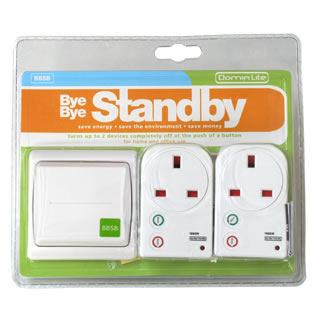
Using Bye Bye Standby
A Smart Socket is plugged into the mains supply and then either one appliance can be plugged directly into the Smart Socket, or multiple devices can be plugged into a multi-way adapter (up to a total of 13 Amps maximum) . The switch (powered by AA batteries) can then be fitted in an easily accessible location, for example near the front door so that all devices can be switched on and off when leaving and entering.
Bye Bye Standby has a claimed range of 30 meters – much less if the radio signal has to pass through walls or ceilings.
Bye Bye Standby Configuration
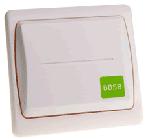
Each Green Switch and Smart Socket is configured with a different ‘House Code’ and ‘Appliance Number’ so that multiple switches and sockets can be used and controlled individually or in groups. This facility is particularly important if your neighbour also has a Bye Bye Standby – otherwise you could end up turning their appliances on and off!
House Codes are letters from A to H, and Appliance Numbers are from 1 to 8. If a socket is set to A1 and the switch (remote control) is also set to A then the switch will turn on and off any devices plugged into that socket.
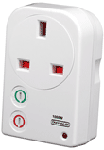
A ‘page function’ is available which enables groups of sockets to be controlled by the same switch at the same time – Page I links the switch to appliances 1 to 4 and Page II links it to appliances 5 to 8. Alternatively, if sockets are always to be turned on and off as a group, it is easier to set all sockets to the same House Code, set the ‘Group’ setting on each socket, and then use the ‘Group’ function on the remote switch.
Bye Bye Standby is typically used with entertainment appliances such as TV, DVD, set-top box, video recorder, HI-FI, and games consoles etc, and is often also used with computers and their peripheral items such as printers, scanners, and so on.
Expanding a Bye Bye Standby System
Additional Green Switches, and Smart Sockets can be added very easily to extend the system – particularly useful in the office environment.
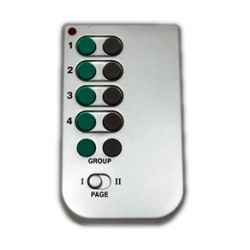
A wireless remote control (pictured above) is available for Bye Bye Standby for around £8.00. Powered by one long-life lithium CR2032 button cell battery.
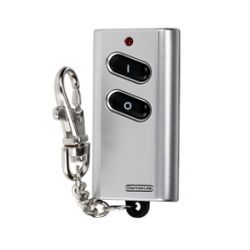
And, pictured above is a wireless remote control keyring for Bye Bye Standby! This handy device enables lights etc to be switched on/off as you walk up the driveway at home.
More Information about Bye Bye Standby
Bye Bye Standby is made by Harmony Systems, a division of iDomus Ltd. The official Bye Bye Standby website can be viewed by clicking here, and a comprehensive User Guide (PDF) can be downloaded here.
Alternatives to Bye Bye Standby
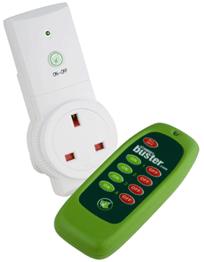
Bye Bye Standby just provides a centralised switch to make manually turning appliances off more easy. A very similar product is Standby Buster which works in the same way as Bye Bye Standby, but with a hand held remote control unit instead of a wall mounted remote switch.
There are other alternative products on the market which are more intelligent – automatically turning the power off when they detect an appliance has gone into standby mode.
The Intelliplug (available in the REUK Shop) automatically shuts off power to peripheral devices (printers, scanners, speakers etc) when the deskop PC connected to it is switched off. It can also be used to switch off any other appliance plugged into one of its peripheral sockets.
The PowerSafer automatically detects when a device plugged into it goes into standby mode and will automatically shut off the power to that appliance and any other connected appliance – for example, when a television is put into standby, the DVD player, VCR, HI-FI, and set-top box can all be switched off. As an added bonus, the TV (or other) infrared remote control can then be used to switch everything back on again automatically.